How do I ask for a sub?
Something came up and you can’t make a show you’re in. Here’s how to hand it off so a teammate can cover.
Open the show
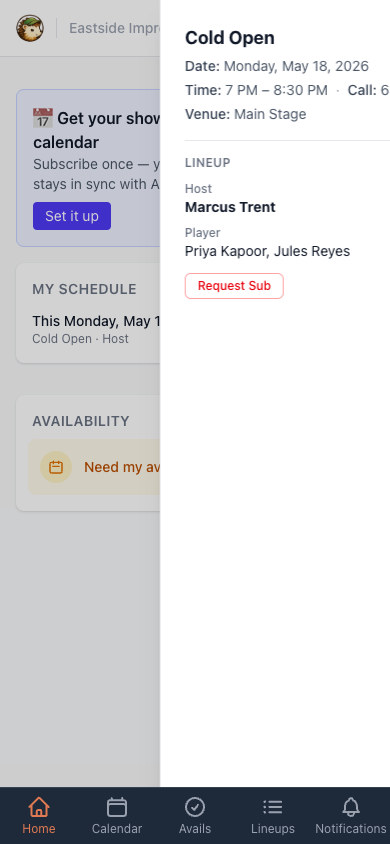
Section titled “Open the show”From the home screen (or the calendar), tap the show you need to miss. The slide-out panel shows the date, call time, and the current lineup. Near the bottom, you’ll see a Request Sub button.
Fill out the request
Section titled “Fill out the request”Tapping Request Sub takes you to a short form with two optional fields:
- Private note to managers — only your show managers and theater admins see this. Use it for the why: a family event, a work trip, food poisoning. It helps managers triage if no one volunteers.
- Public message — goes out to every eligible teammate along with the request. Use it for anything that might help someone decide to cover, like an offer to trade dates.
Both are optional. You can leave them blank and hit submit.
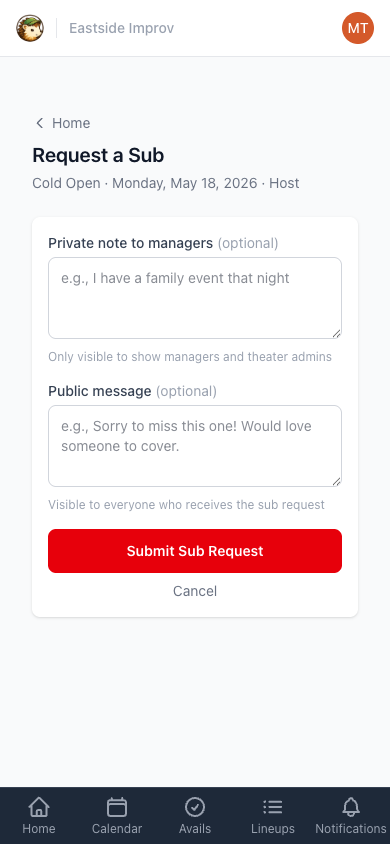
Tap Submit Sub Request and the request goes out by email to every teammate who’s eligible to cover the role. You’ll get an email confirming it’s out.
What happens next
Section titled “What happens next”You don’t have to do anything. When a teammate volunteers and a manager approves them, you’ll get an email telling you who picked it up.
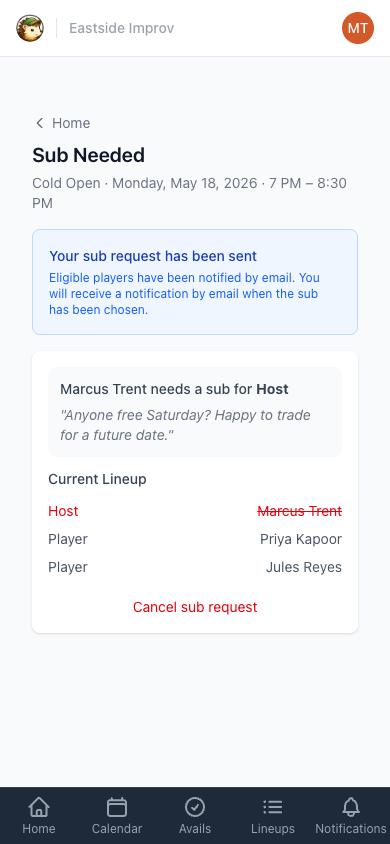
If you want to check the status in the meantime, log back in and tap the show again. The slide-out (and the dedicated page) will show Sub Requested, your public message, and a button to cancel the request if your plans change.
If no one volunteers, your managers will reach out directly.