Set your availability
Setting availability is what tells your manager you’re in for a show — or not. It takes about thirty seconds.
From the Avails tab
Section titled “From the Avails tab”Open the Avails tab from the mobile tab bar. You’ll see every upcoming show date you’re eligible for, grouped by when your manager will cast it (“Scheduling today”, “Scheduling in 3 days”, and so on) so you always know your deadline.
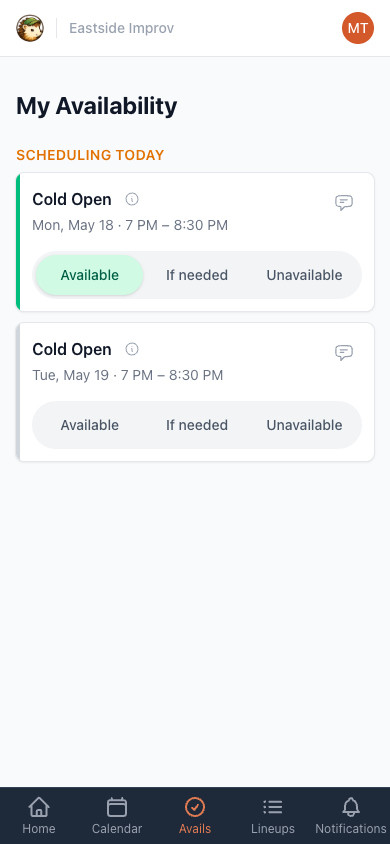
For each show date, pick one:
- Available — you’re in if cast.
- If needed — you’d rather not, but you’ll do it if your manager is stuck. Use this deliberately. Managers read it as yes with an asterisk, not as a soft no.
- Unavailable — you’re out.
Your choice saves the moment you tap it. Change your mind later by tapping a different option — or, if you’re back on the fence, tap your current choice a second time to unset your availability. SchedgeHog will ask you to confirm (so you don’t un-answer by accident), then puts you back in line for the usual reminder so you can decide closer to the deadline. If you’d left a note, the confirmation will warn you it gets cleared too.
See the show details first
Section titled “See the show details first”Tap the info icon next to a show’s name to expand call time, venue (or the road-show location, if it’s offsite), the roles the show is casting, and any notes the manager added. Useful when you don’t know a show well and want to see whether it needs players, hosts, or tech.
Leave a note for the manager
Section titled “Leave a note for the manager”Tap the speech-bubble icon in the upper right of a show — “arriving 10 minutes late”, “only the late show”, anything that helps with casting. Type it in and tap Save note.
From the calendar
Section titled “From the calendar”Prefer a calendar view? Open the Calendar tab and click any show — a panel slides out with the same Available / If Needed / Unavailable buttons and a note field. Tapping your selection again goes back to “no answer,” same as on the Avails tab.
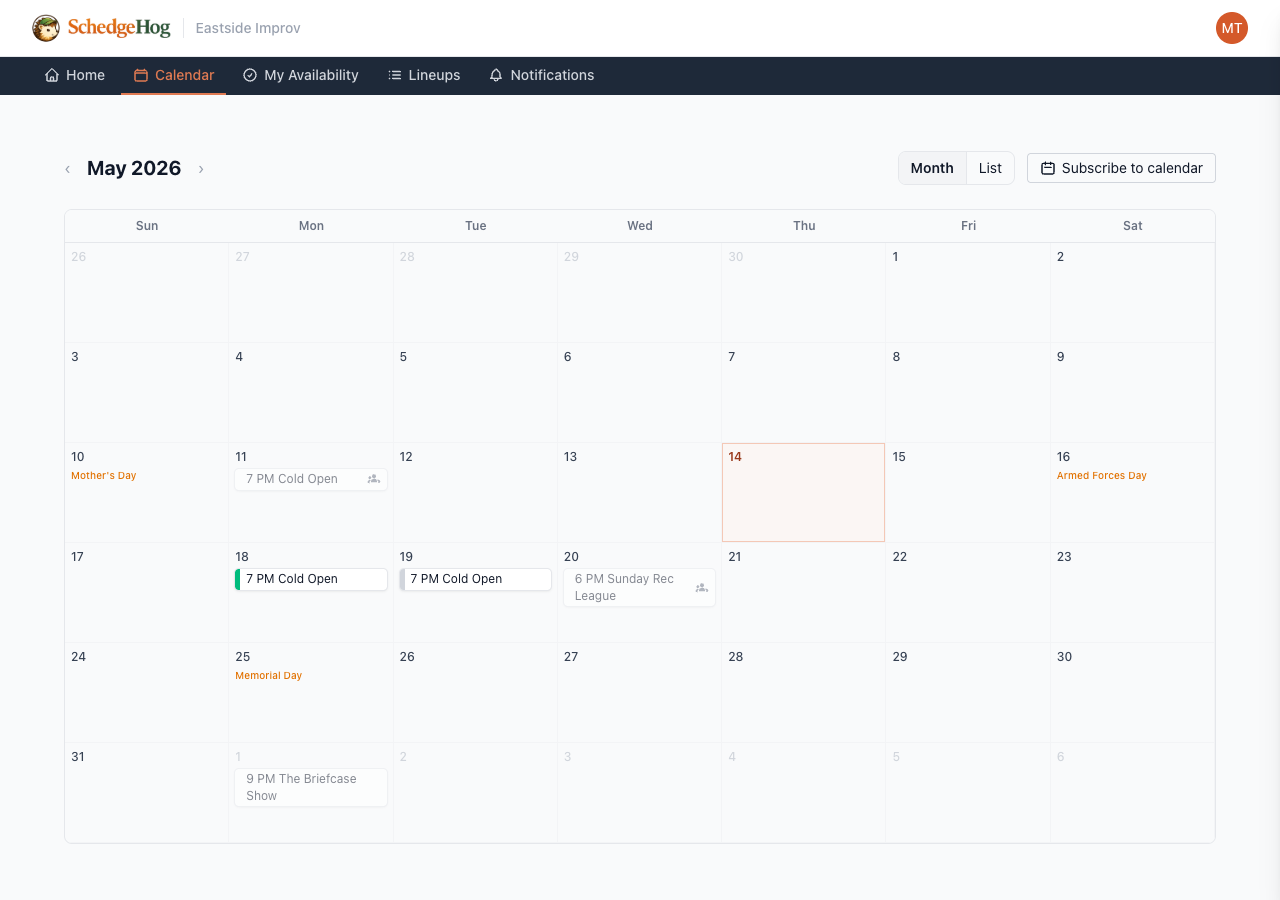
The calendar shows every show at the theater, not just the ones you’re eligible for. If you click a show and the availability buttons aren’t there, the show isn’t yours to respond to.