How do I cover for someone?
When a teammate can’t make one of their shows, they’ll send out a sub request. If you’re eligible, you’ll hear about it two ways:
- An email with a “Volunteer to Sub” button.
- A “Subs Needed” card on your home page in SchedgeHog.
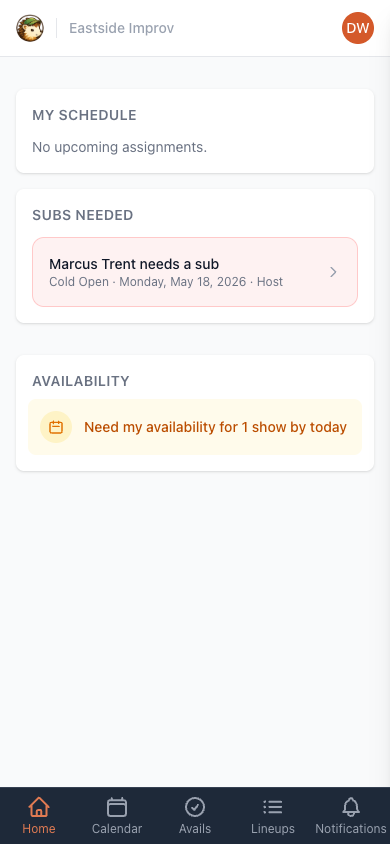
Tap either to open the request.
Volunteering
Section titled “Volunteering”The request page shows who needs the sub, which role they’re filling, and the rest of the lineup. If you’ve already marked your availability for that date, you’ll see a heads-up — green if you said you were available, amber for if needed, red if you were unavailable.
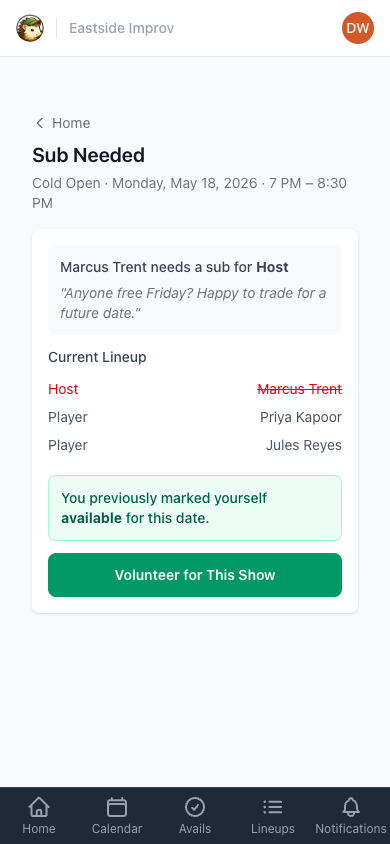
Tap Volunteer for This Show. You can leave a quick note for the managers if there’s something they should know — running late to call, can only do one of the two shows that night, anything else they’d want to factor in — then tap Send.
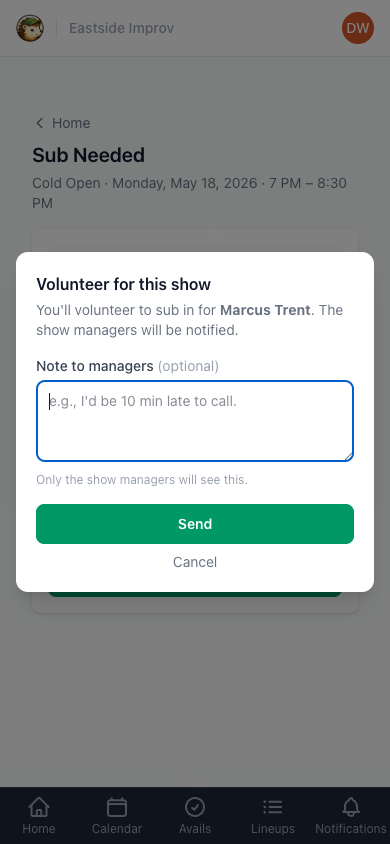
That’s it. Managers see your volunteer alongside anyone else who stepped up, and they’ll pick someone. You’ll get an email when the role is filled — letting you know whether it was you or somebody else.
Changing your mind
Section titled “Changing your mind”If something comes up before the role is filled, you can pull your volunteer back. Open the sub request again (from the email or from the dashboard card) and tap Withdraw my volunteer.
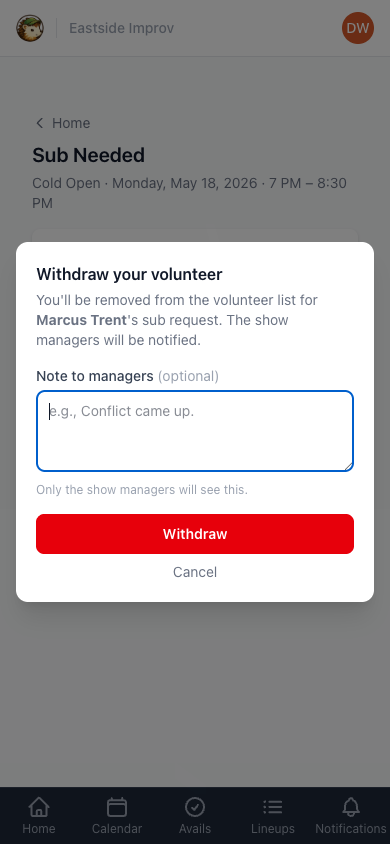
Add a quick note to the managers if you want to explain — it’s optional. Tap Withdraw and you’re done. No one needs to approve it.